
How do I find a completed course?
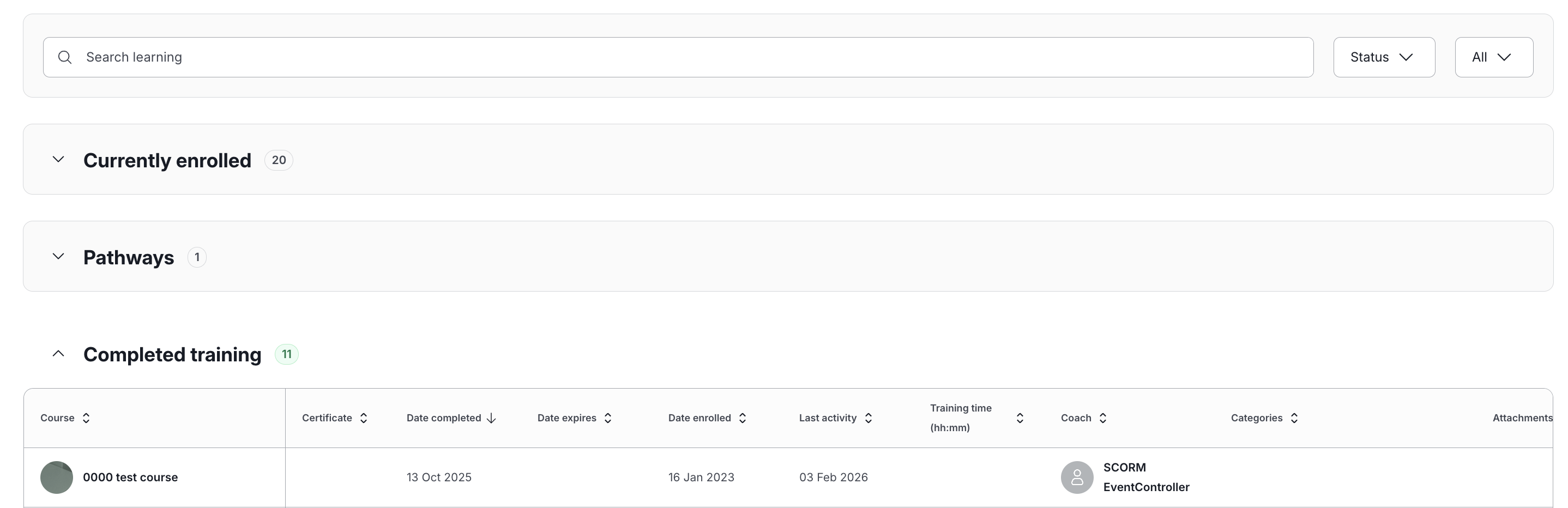
Click Learning in the top menu to open your My learning page, then head to the Completed Training section.
Searching and filtering
If you've got a lot of completed courses, type into Search learning to find one by name or coach, or use Filter by and select Status > Completed to show just these.
What you'll see
Every course here is marked Completed, along with when you finished it and who your coach was, if the course included coaching.
Reviewing a course
Click Review course to look back over the content anytime. If the course offers a certificate, you'll see a Download certificate button too.
Course details
Click a course to see everything about it in one place: enrolment date, completion date, time spent, coach, and category.