
Dashboard Support Guide
Home · My Learning
We’ve introduced a simplified, unified dashboard experience designed to make it easier to navigate your learning, stay on track, and (for managers) support your team more effectively.
This guide walks you through each page and how to get the most out of it.
Home Page
The Home page is your starting point each time you log in. It provides a real-time snapshot of your learning activity and helps you quickly take your next step.
Rather than searching across multiple areas, Home brings your most important information into one place.
What you’ll see on Home
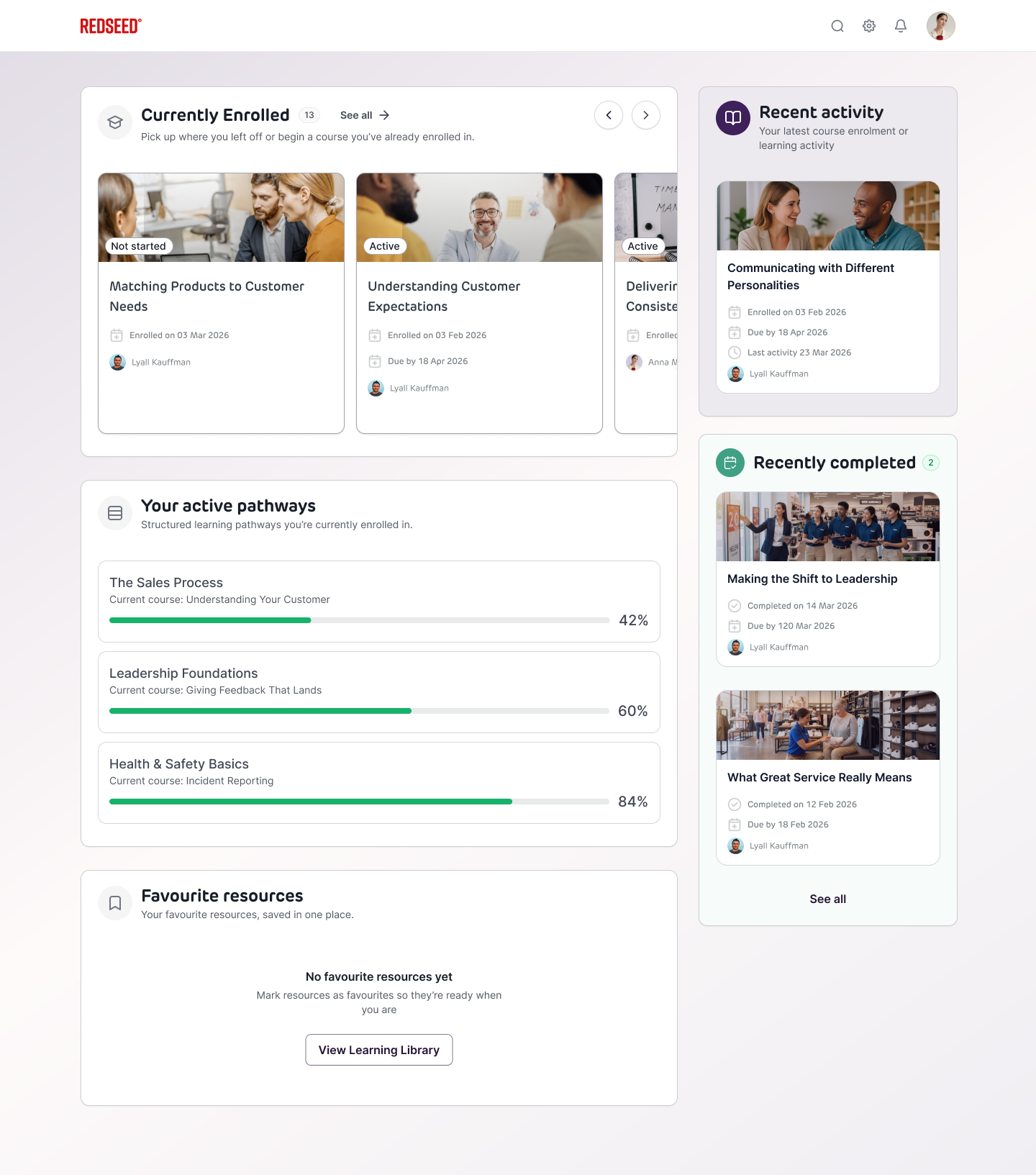
Currently Enrolled
This section highlights any courses you are actively enrolled in.
- Quickly resume learning with “pick up where you left off”
- See courses you’ve already started but not yet completed
- If you’re not currently enrolled in anything, you’ll see a Browse Library button to help you get started
Tip: This is the fastest way to jump back into your learning without needing to search.
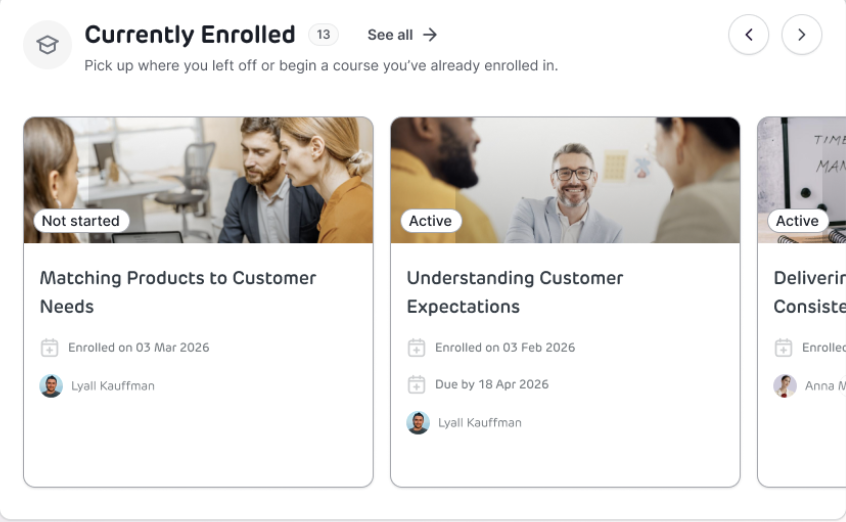
Recent Activity
This widget shows your most recent learning actions, such as:
- Course enrollments
- Progress updates
- Recently accessed content
Why it’s useful: It helps you quickly retrace your steps and stay oriented, especially if you’re working across multiple courses.
Active Pathways
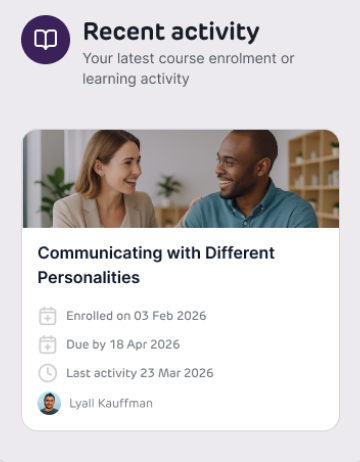
If you’re enrolled in structured learning pathways, they’ll appear here.
- View all active pathways in one place
- See your progress percentage for each pathway
- Click into a pathway to:
- See which courses you’ve completed
- Identify what’s still outstanding
Tip: Pathways are designed to guide your development—use this section to stay on track.
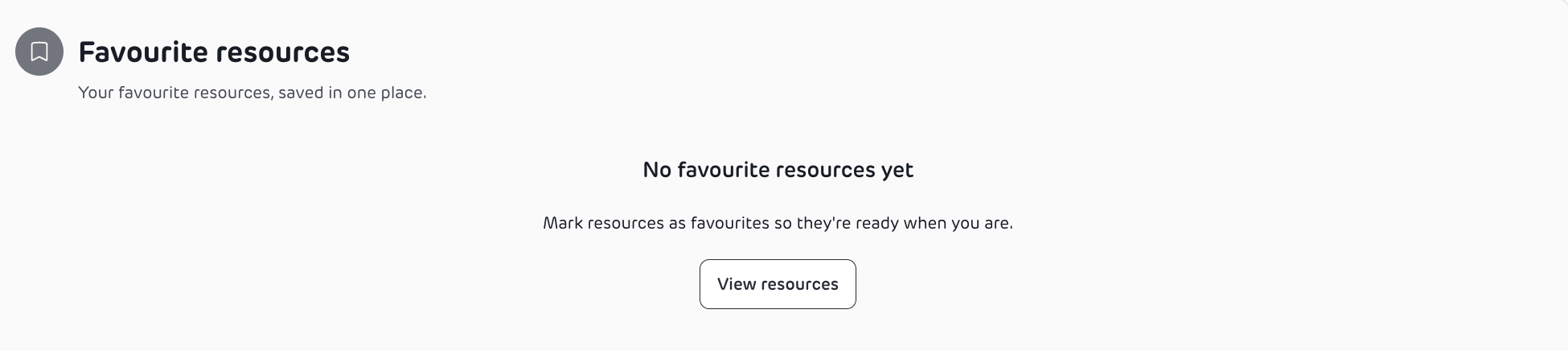
Favourite Resources
You can bookmark useful resources as favourites.
- Any content you’ve favourited will appear here
- Makes it easy to revisit important materials
Tip: Use favourites for quick access to frequently used or high-value content.
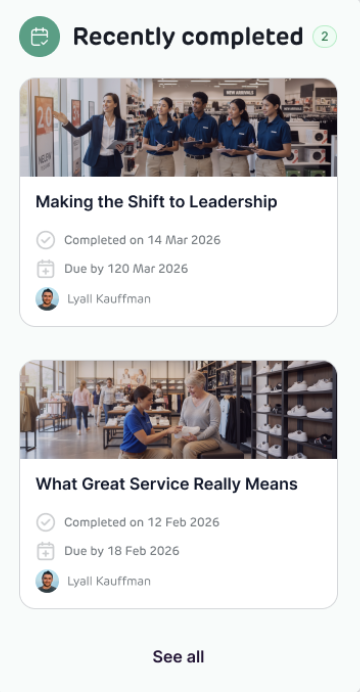
Recently Completed
This section shows your most recently completed courses.
- Quickly confirm what you’ve finished
- Easily revisit completed content if needed
Why it matters: Helpful for tracking progress and reinforcing learning.
How to use Home effectively
- Use Currently Enrolled to continue learning quickly
- Check Recent Activity to stay aligned with what you’ve been working on
- Monitor Active Pathways to keep progressing through structured learning
- Save key content using Favourites for easy access later
My Learning Page
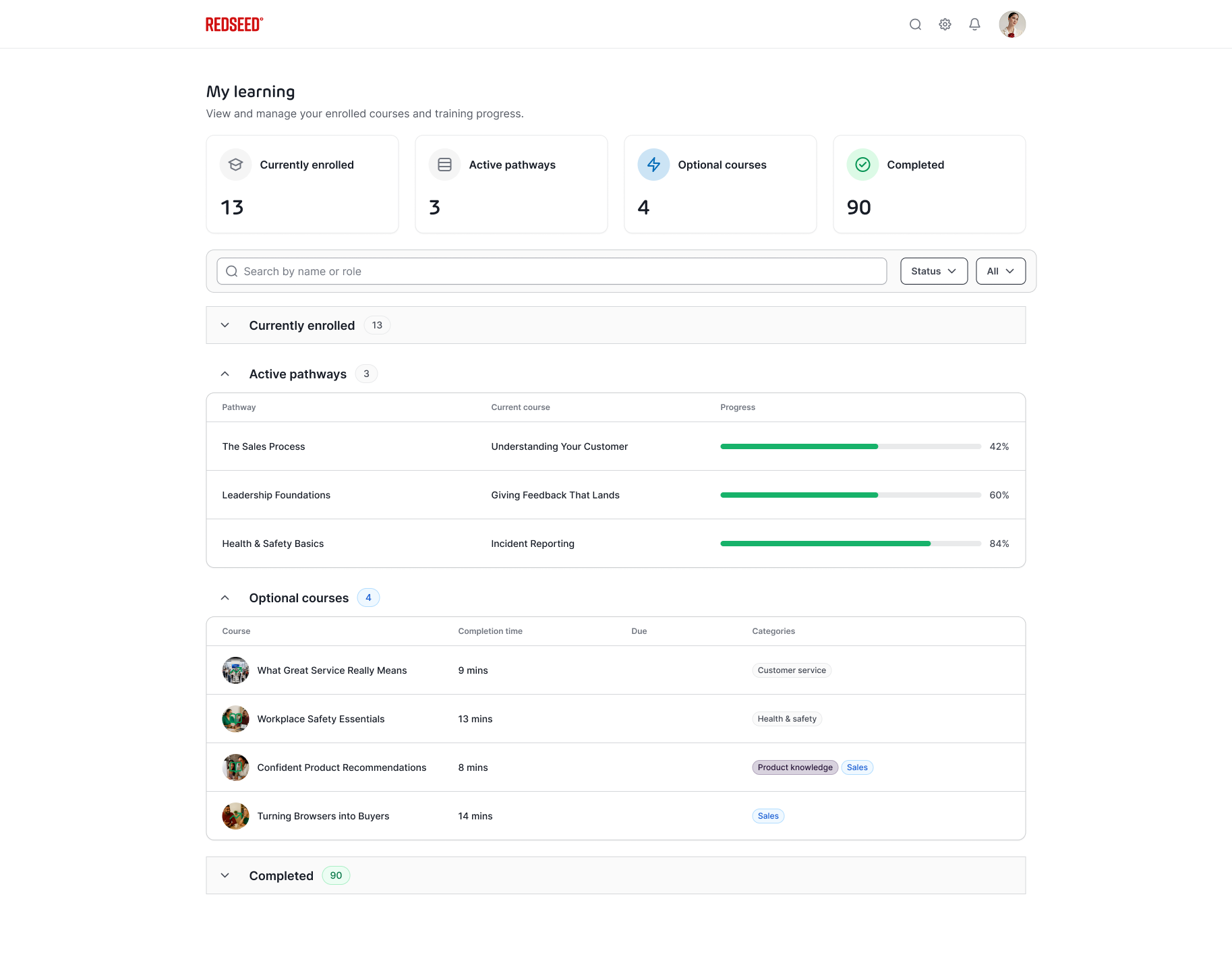
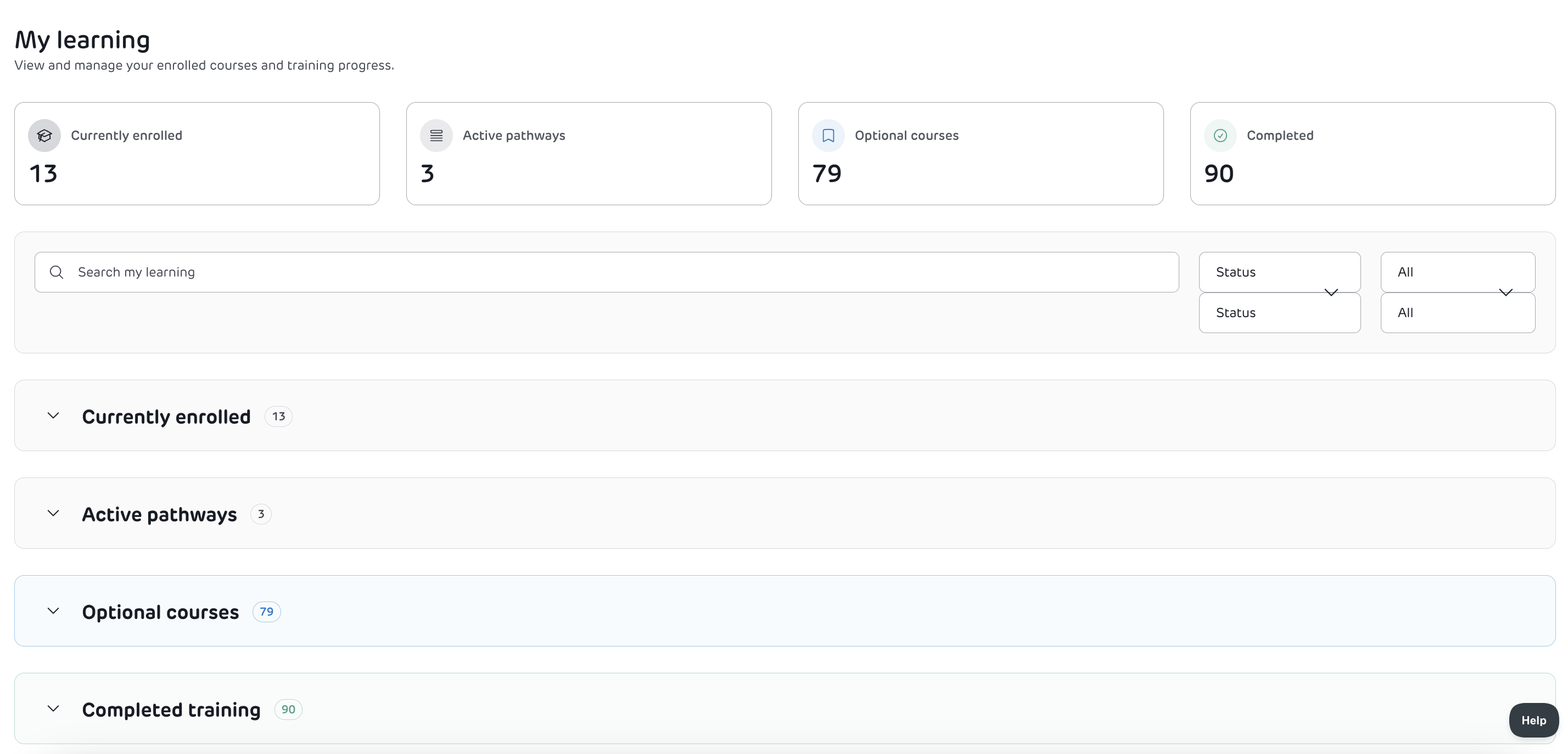
The My Learning page is your dedicated space for managing all aspects of your training. It provides a deeper, more detailed view than the Home page. Home is your snapshot, My Learning is your full control centre.
Overview
At the top of the page, you’ll see a summary of your learning:
- Currently Enrolled – courses you are actively working through
- Active Pathways – structured learning journeys you’re part of
- Optional Courses – additional courses available for you to take
Important:
Optional courses are not assigned to you—they’re available if you want to extend your learning.
Navigating Your Learning
Search & Filtering Tools
To help you find content quickly, you can:
- Use the search bar to find specific courses or pathways
- Filter by category (e.g. topic or skill area)
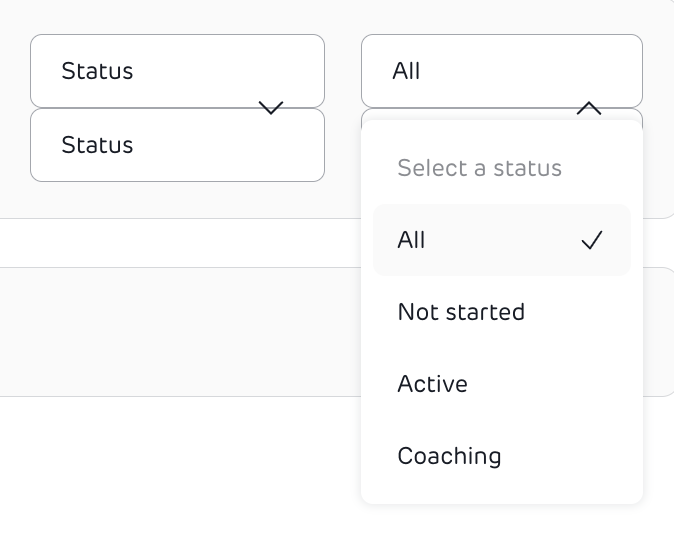
- Filter by status, including:
- Not started
- Active
- Coaching
Learning Sections
Your learning is organised into collapsible sections for easy navigation:
- Currently Enrolled
- Active Pathways
- Optional Courses
- Completed Courses
You can expand or collapse each section depending on what you want to focus on.
Understanding Course Information
Each course card provides key details at a glance:
- Course name
- Estimated completion time
- Due date (if assigned)
- Time remaining until due date
- Categories or tags
Why this helps: You can quickly prioritise what to work on next.
Completed Training Details
Completed courses include additional information such as:
- Completion date
- Expiry date (if applicable)
- Enrollment date
- Last activity date
- Assigned coach (if relevant)
- Categories
Use case: Helpful for compliance tracking, reviews, or revisiting learning.
Why ‘My Learning’ matters
- Gives you full visibility of your learning journey
- Helps you stay organised and on track
- Makes it easy to find, filter, and prioritise content.