
Coaching your team in RedSeed
As a coach in RedSeed, your role is to support your team members on their learning journeys - discussing what they've learned, marking their answers, and practising new skills together.
You'll find your team on your Team page.
Coaching is what makes RedSeed different to other online training systems. To learn more about the benefits of a good coaching relationship with your team, read our blog post on The Power of Coaching!
Overview of Sections
Your Team page lists everyone assigned to you for coaching, grouped by status:
- Waiting for you - they've got at least one activity that needs your input.
- Waiting for them - you're all caught up, it's on them to respond next.
- Completed - every coaching activity is done.
A team member only appears once they've started at least one coaching activity.
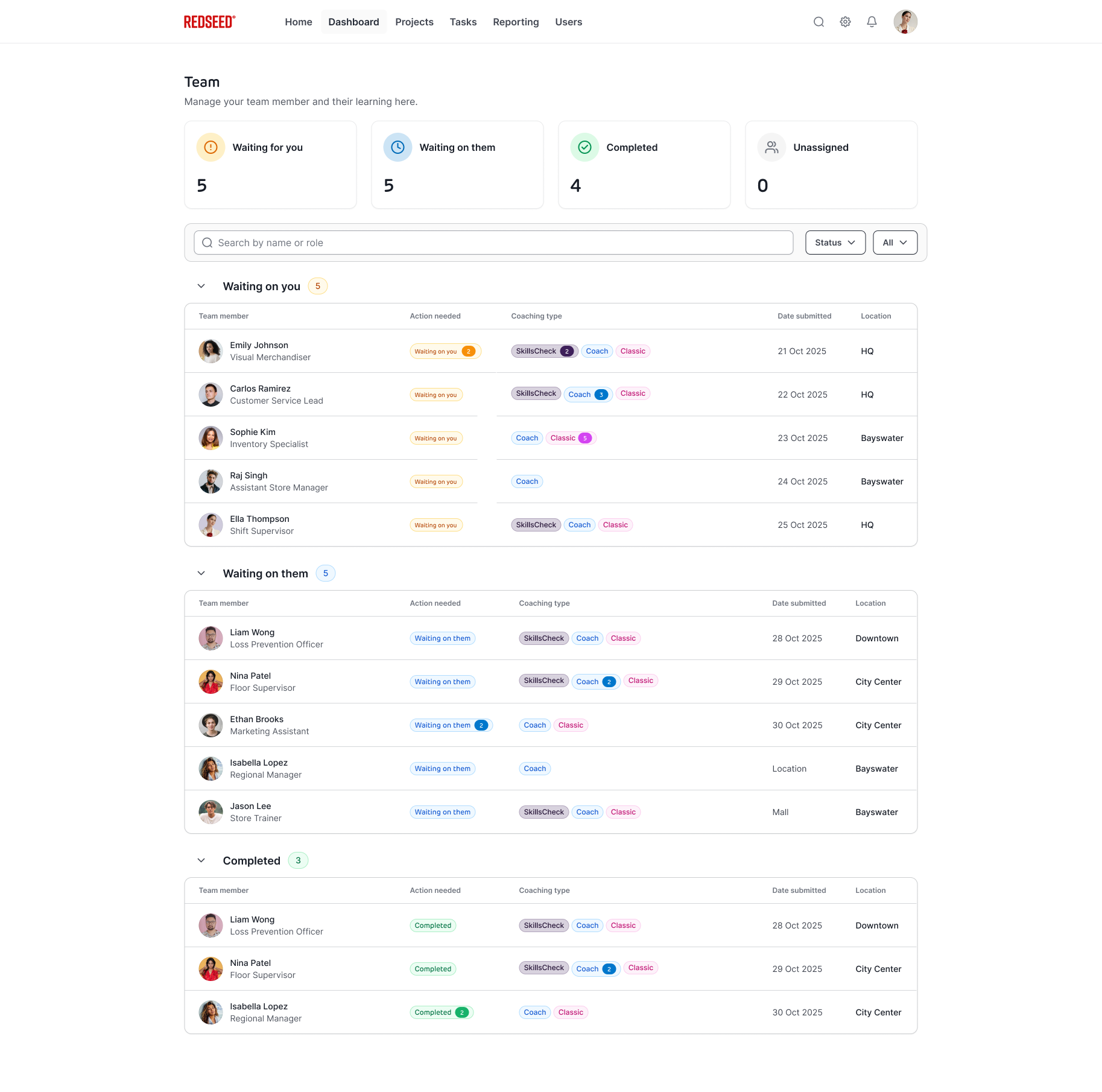
Waiting for You
These are items that require your action.
Each item includes:
- Team member name
- Role (Team Member)
- Action required
- Coaching type
- Date submitted
- Location
Items are sorted by submission date, with the oldest appearing first.
Tip: Start here to clear your most urgent tasks.
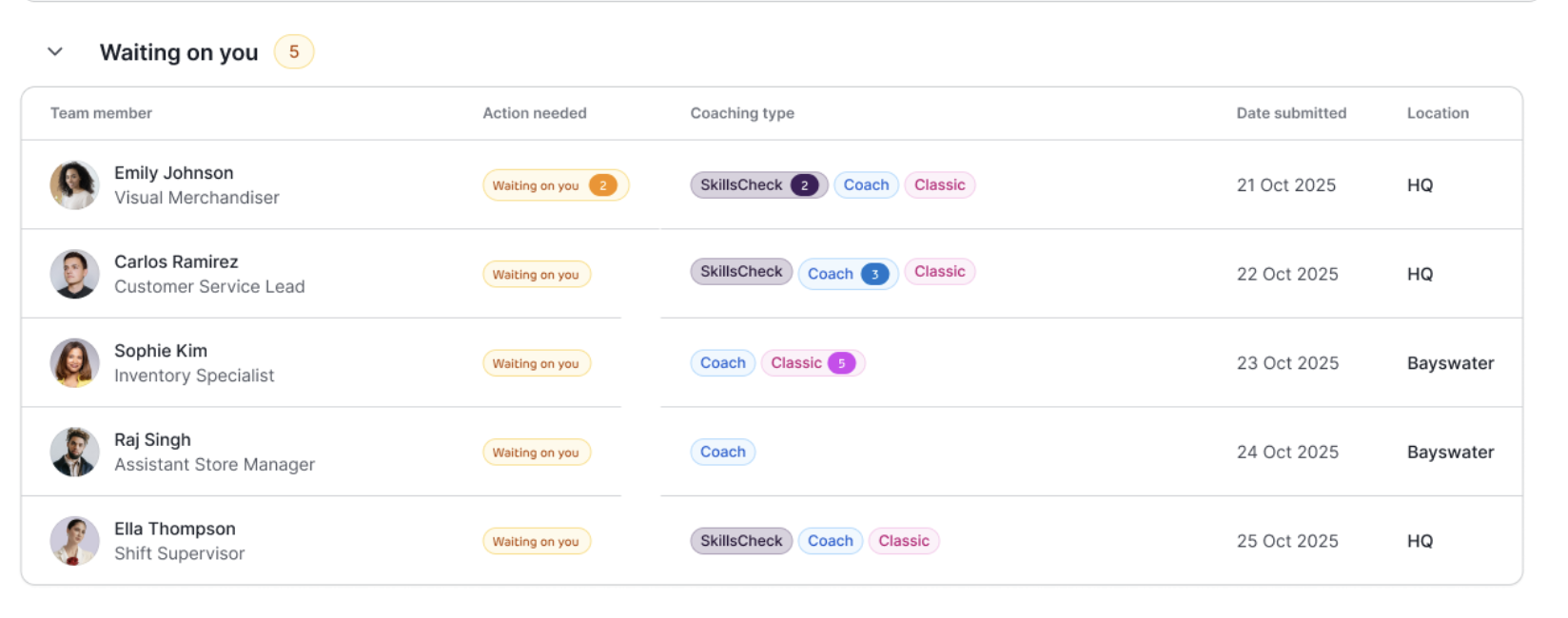
Waiting on Them
These are items where your team member needs to take action.
You’ll see:
- Team member
- Action required
- Coaching type
- Submission date
- Location
If a team member has multiple outstanding items, a number indicator will appear.
Why it matters: Helps you identify who may need follow-up.
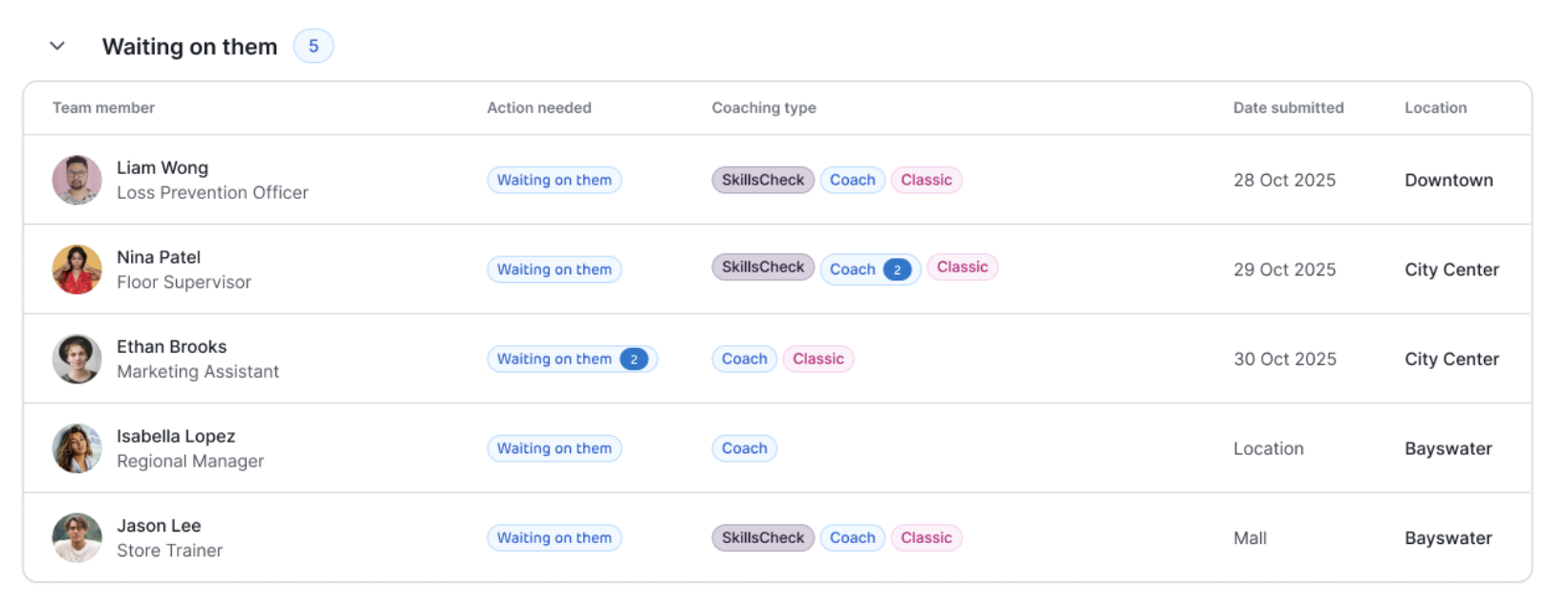
Completed
- Shows all completed coaching items
- Useful for tracking progress and reviewing past activity
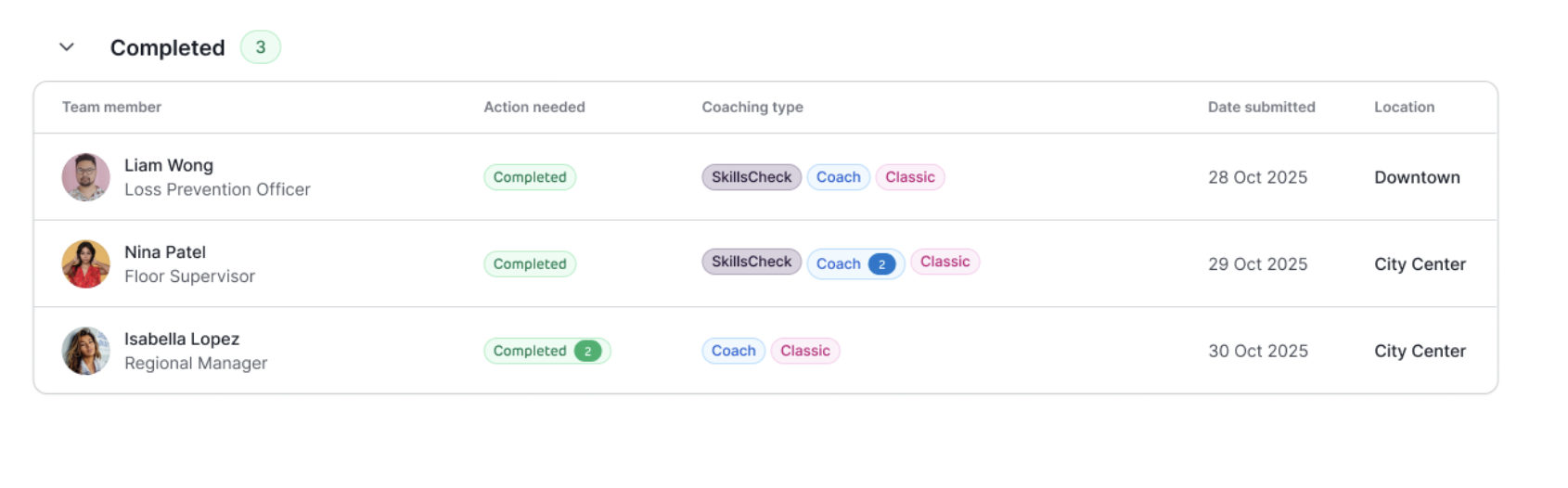
Coaching Types Explained
Understanding coaching types helps you interpret what’s required:
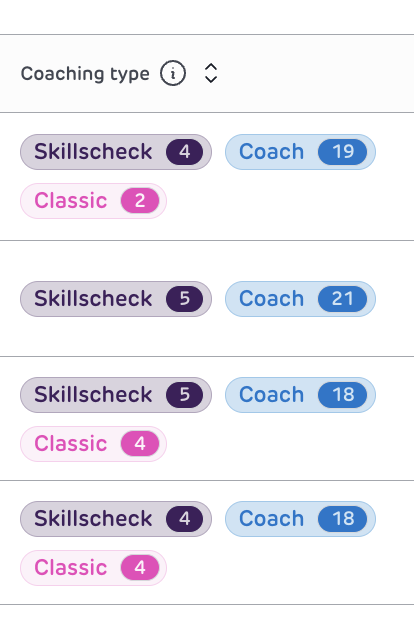
- Skills Check is an observation and assessment of a real task performed on the job
- Coaching is a guided conversation between a manager and team member
- Classic refers to interactive training modules, which often including written responses.
Team member activities
Open a team member's page and head to their Coaching tab to see everything of theirs that needs attention, grouped the same way (Waiting for you / Waiting for them / Completed), and split out by type:
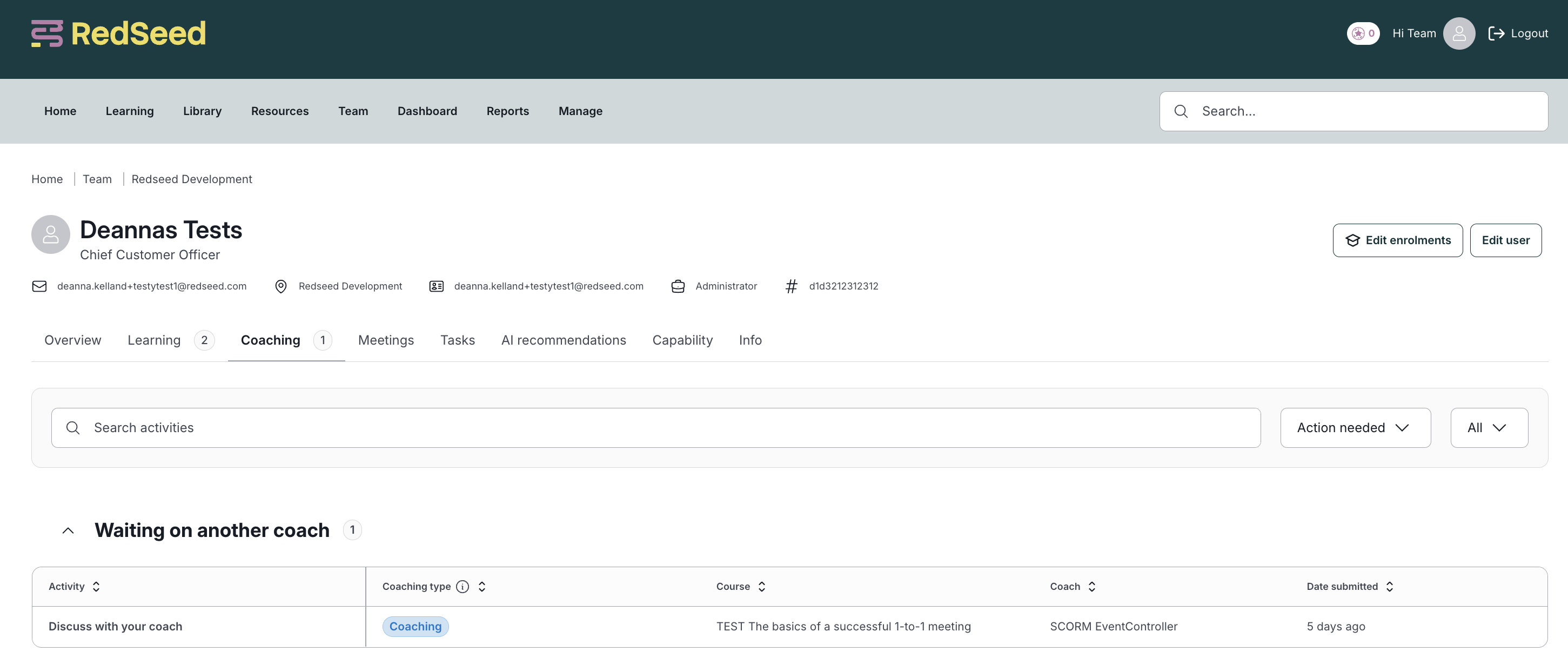
Coaching activities (Practice, Discuss, and long-answer questions) - Practice and Discuss are waiting for you whenever your team member's ready to go; they're never waiting on your team member. Long-answer questions are waiting for you once submitted, or waiting for them if you've sent one back for correction.
SkillsChecks - waiting for you if your team member responded last, or waiting for them if you responded last and haven't marked it complete yet.
A course only shows as complete for your team member once you've marked all its coaching activities.
Practice and Discuss activities
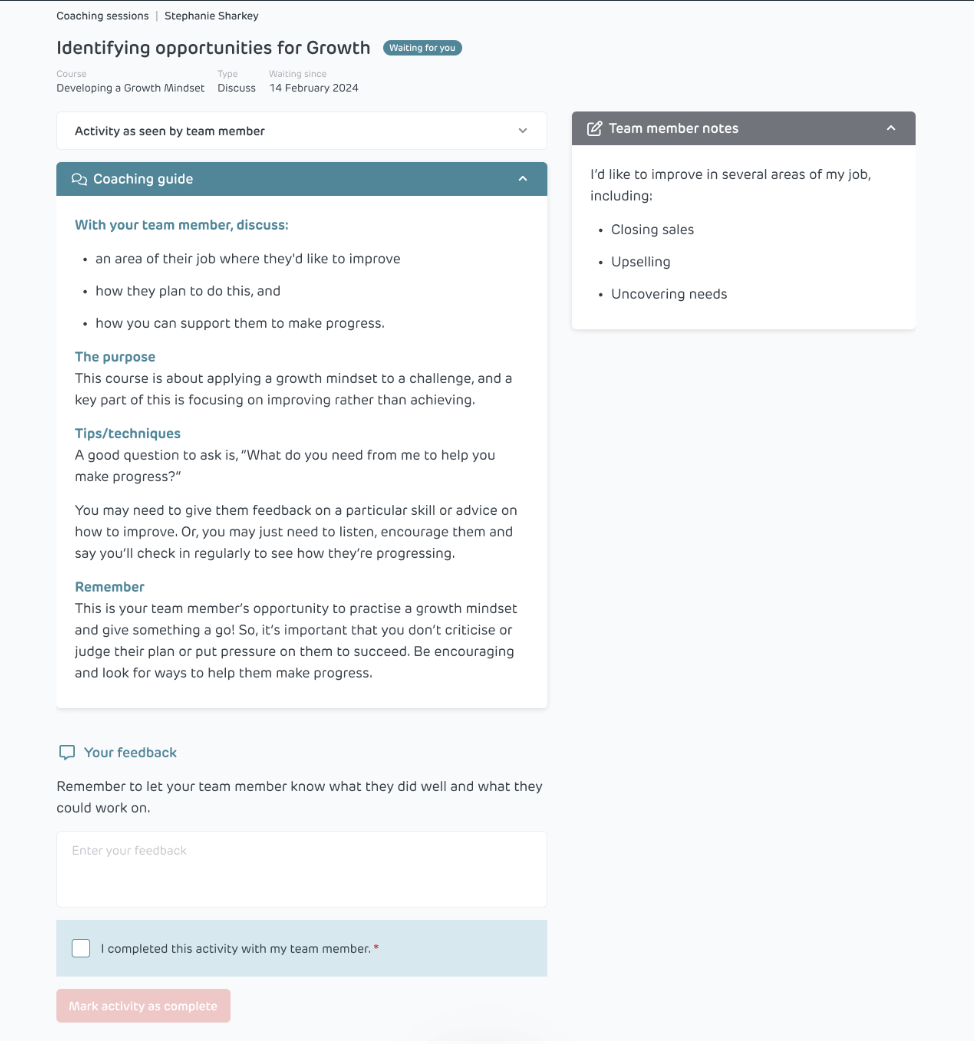
Click a Practice or Discuss activity to open it. You'll see the Coaching guide (what to cover), the activity as your team member saw it, and any notes they've made. Leave your feedback under Your feedback - they'll get it by email and see it in the course too.
Notifications and emails
You'll get an email (and a mobile notification, if you have the app) when a team member is ready to discuss or practice something with you, adds a response to a SkillsCheck, or submits long-answer questions for you to assess. Once you respond, they're notified the same way.