
The team member page: a quick guide
Overview
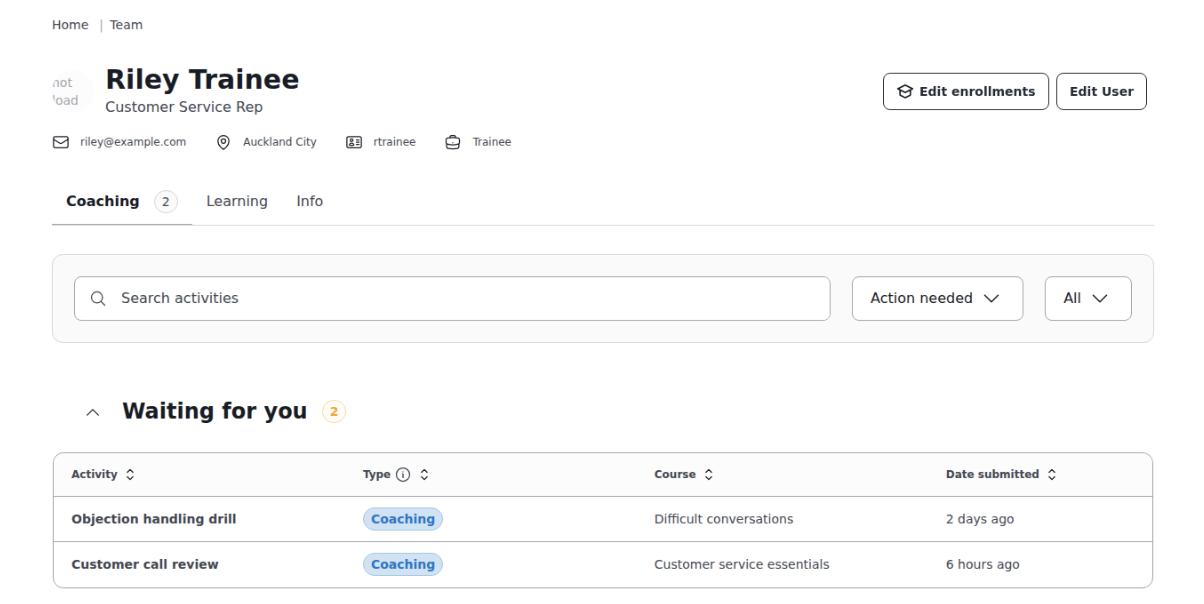
The team member page is where you manage and check in on individuals in your team. Go to Team in the main navigation, then click on any team member's name.
What you'll see
The page has three tabs: coaching, learning, and info
Coaching
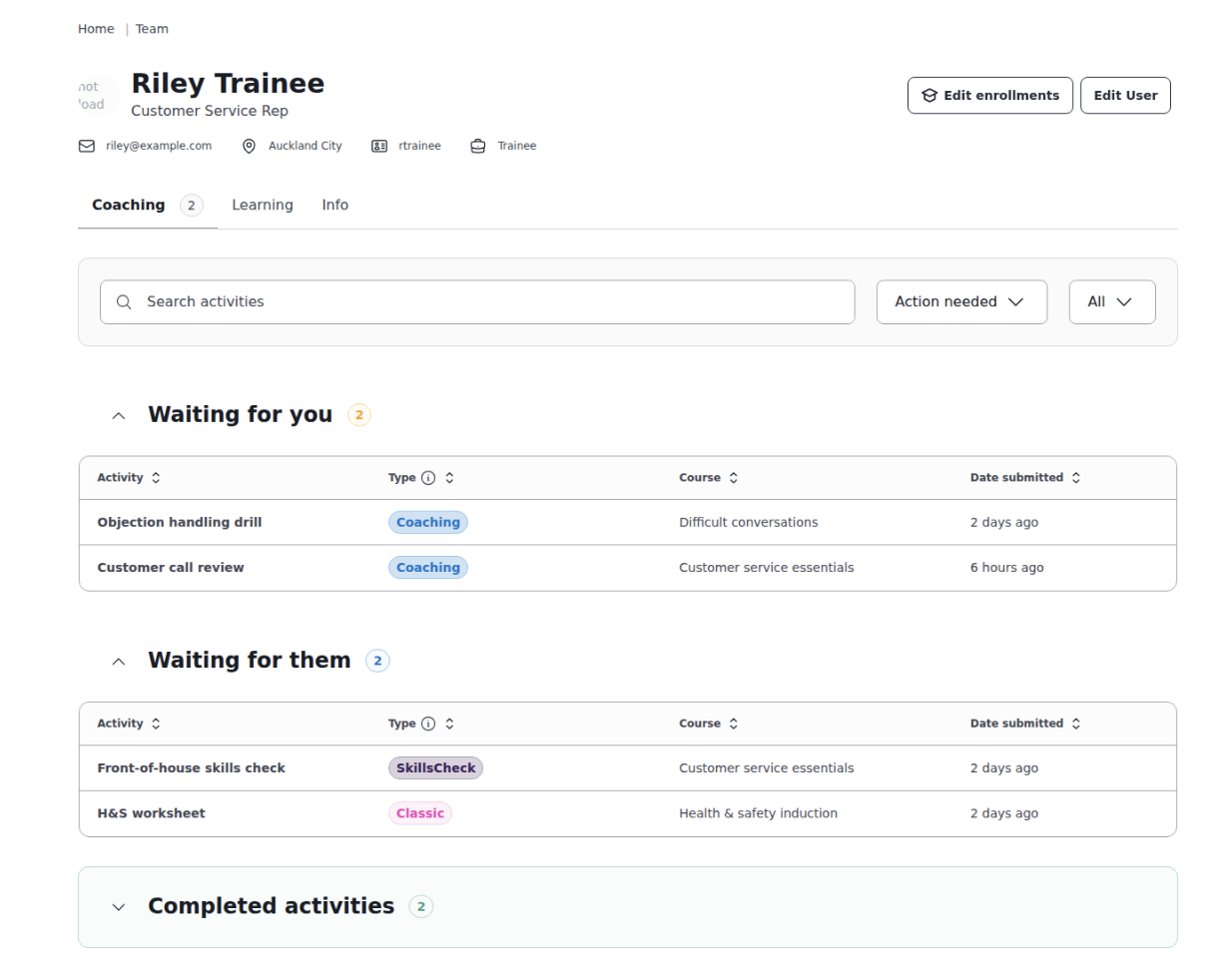
All coaching activities for this team member are grouped by what needs attention.
- Waiting for you: activities assigned to you that need your feedback
- Waiting for the team member: activities awaiting their response
- Waiting on another coach: activities managed by a different coach
- Completed: a record of finished activities
Filter by activity type, or search by activity or course name.
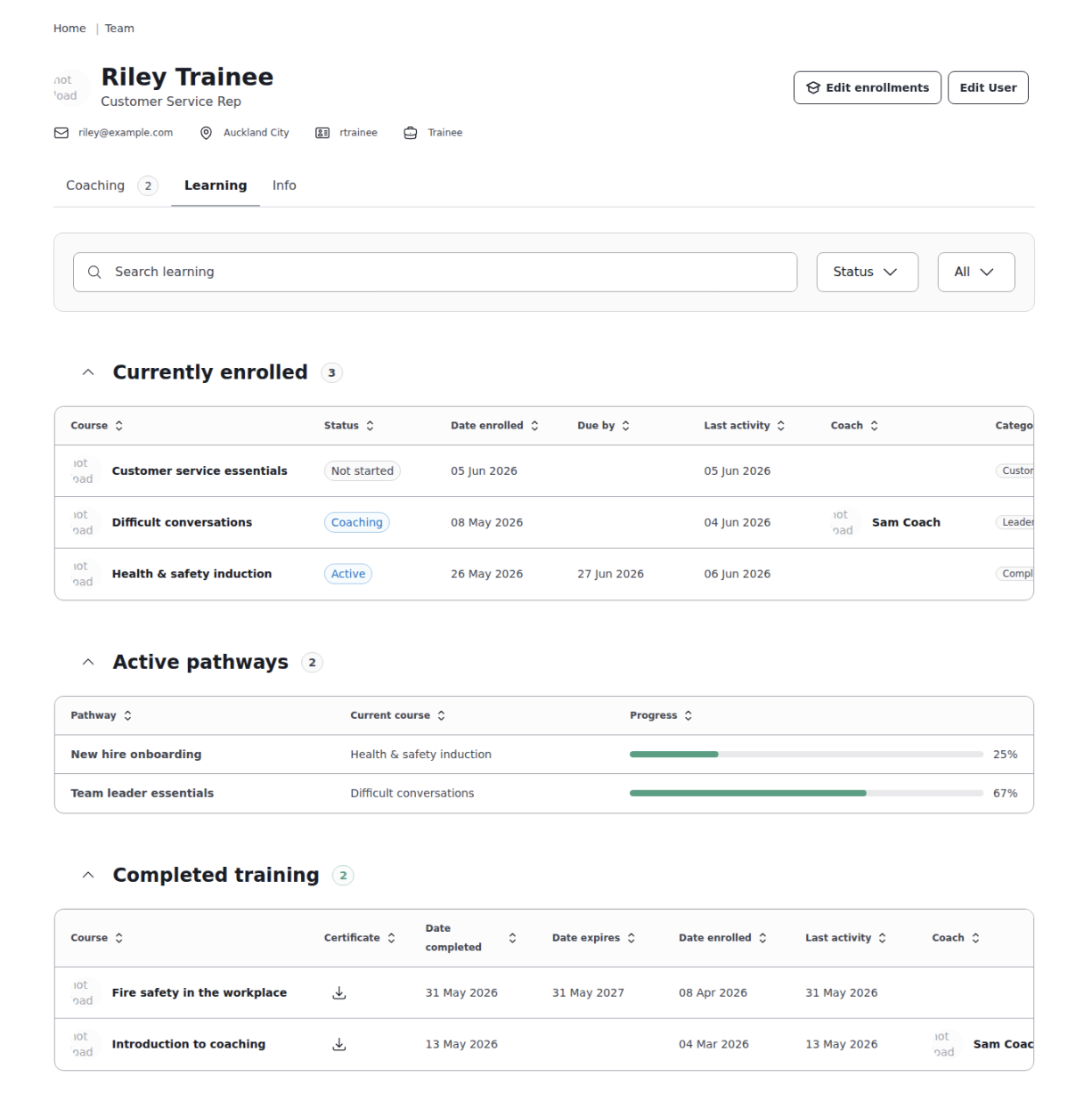
Learning
View the courses they're enrolled in, their progress, active pathways, and completed training.
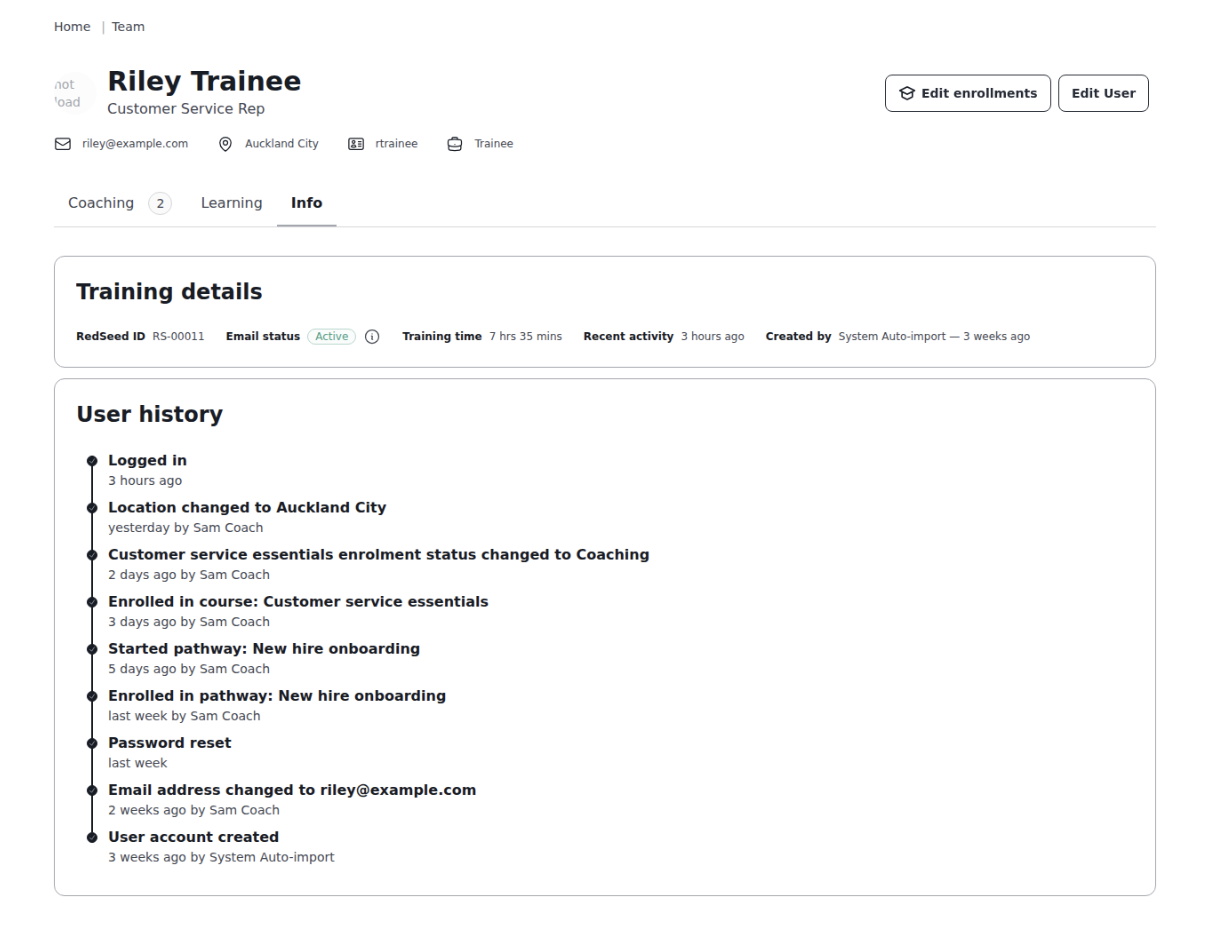
Info
Key details including last login date, most recently completed activity, total time spent in training, email status, and when the account was created.
What you can do
From this page you can:
- Edit enrolments: Add or remove course enrolments
- Edit team member: Update their name, email, location, role, language, and profile photo
- Send a password reset: Email a reset link directly to them
- Archive or unarchive: Suspend or restore their access
Who can use this?
Anyone with a Manager or HR role, plus coaches who have team members assigned to them.